TodayAppointment confirmed
Customer selected Thursday afternoon.

PeopleTide CRM · Customer relationships
Available with setupConnect customer context, conversations, tasks and follow-through. See who owns the next response, find overdue work, and record the result. Practical agents handle configured routine steps while your team stays responsible for decisions and handoffs.
The workflow engine behind your team
Let configured workflows handle routine steps, then bring in a person when the request needs approval, judgment or help. Your support team works from a ticket queue, focused on the problems that need their involvement.
Understand the request, gather missing information and run supported tasks within the workflow’s rules and permissions.
Carry the reason for handoff, customer context, completed actions and unfinished work into a staff ticket.
Staff review priorities, handle exceptions and decisions, and record what happened. Owners and delays stay visible.
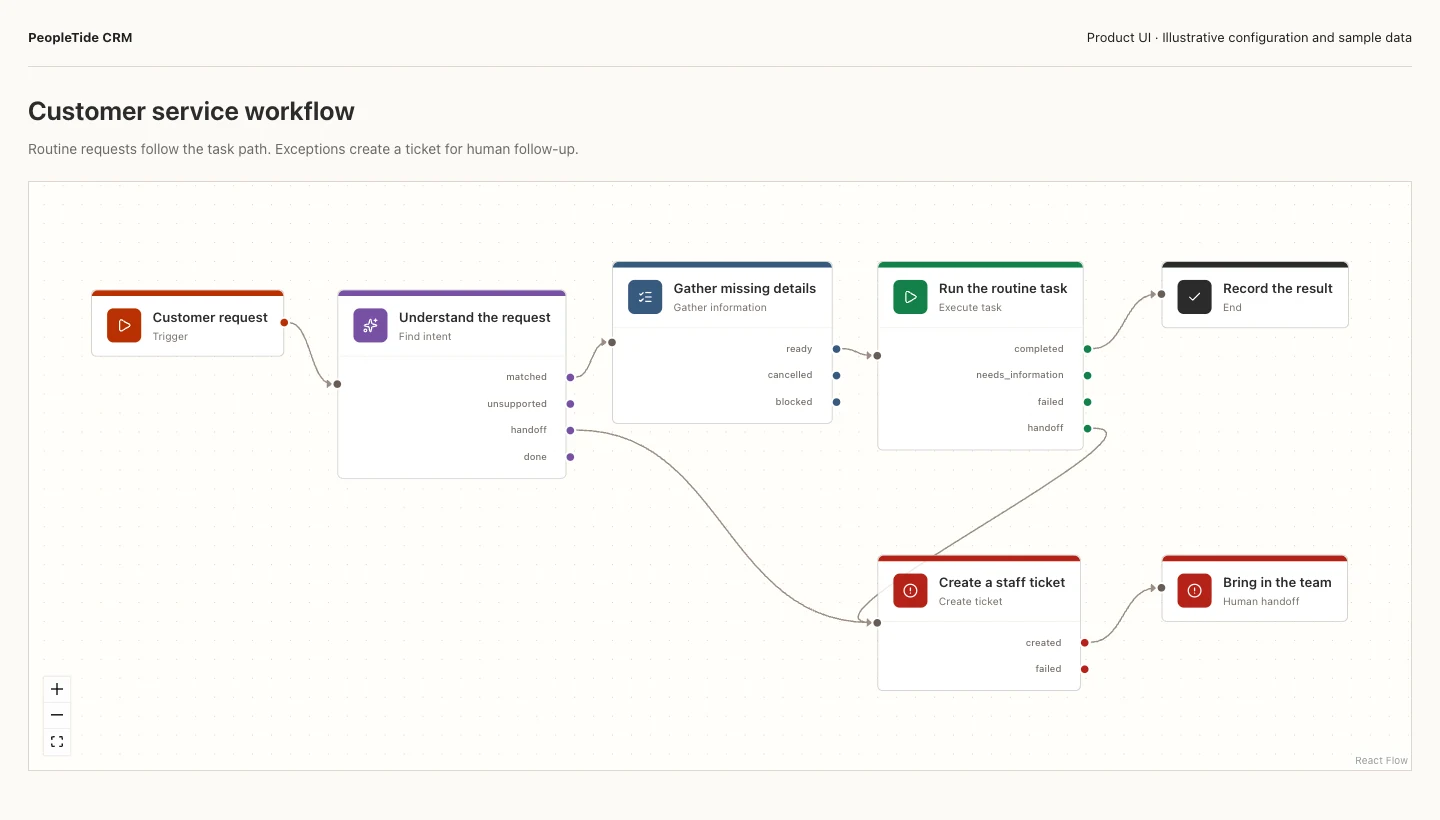
Product snapshot · Sample data
The workflow branches from task execution to a recorded result or a ticket for staff follow-up.
View full snapshot in a new tab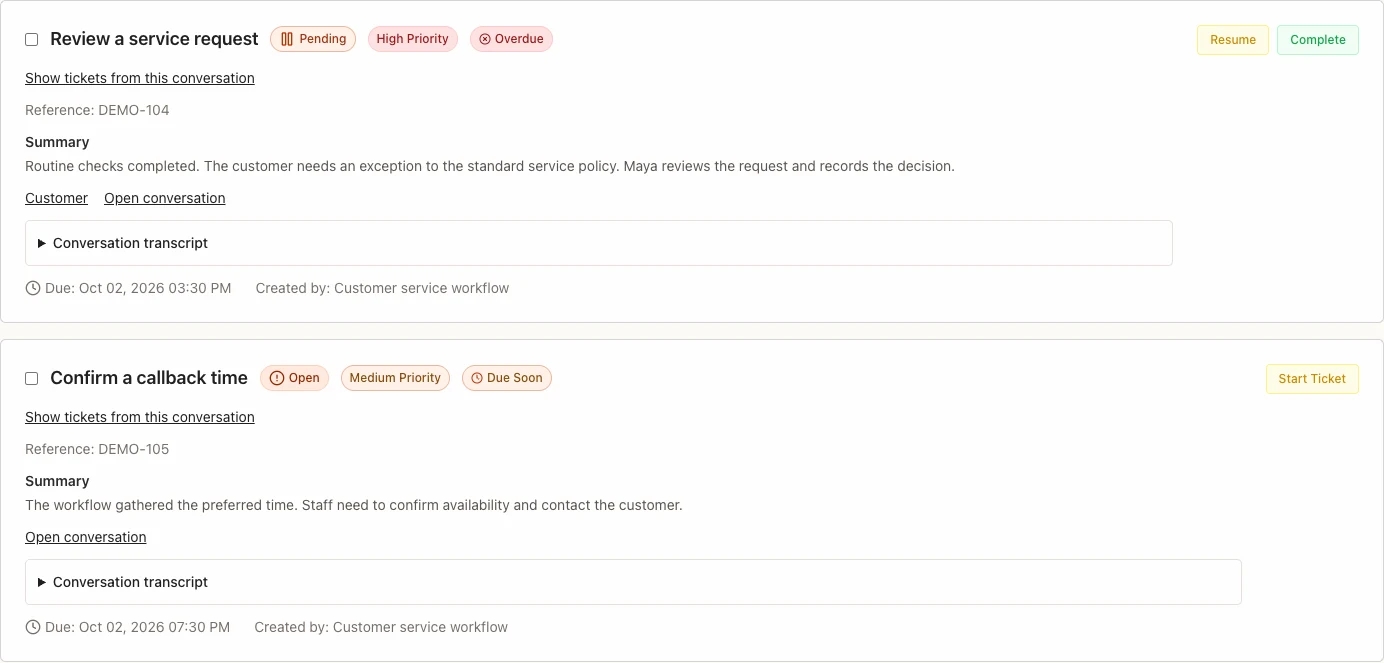
Product snapshot · Sample data
A service exception and a callback appear as tickets with status, priority, due time and customer context.
View full snapshot in a new tabSnapshots use the CRM product interface with illustrative configuration and sample data. Tasks, routing and connections require setup. Automation does not replace staff decisions or establish a guaranteed efficiency improvement.
Explore the workflow and handoffAvailable in PeopleTide CRM
Start with the customer record, continue through the conversation, and keep every handoff and outcome visible.
01 · Unified customer history
Keep contacts, conversations, activity, tasks, and outcomes together in one customer record.
Returning customer · Phone
Current customer record
Recent activity
Customer selected Thursday afternoon.
Pre-visit task added for the service team.
The completed visit remains in the customer history.
02 · AI customer conversations
Use an AI conversation engine to understand intent, prepare replies, and move routine enquiries forward.
Matched customer context
Priya ShahCustomer record matched03 · Missed-call recovery with PeopleTide Phone
Pass an unanswered call from PeopleTide Phone to an agent that can identify the customer and begin a configured follow-up.
01 Phone
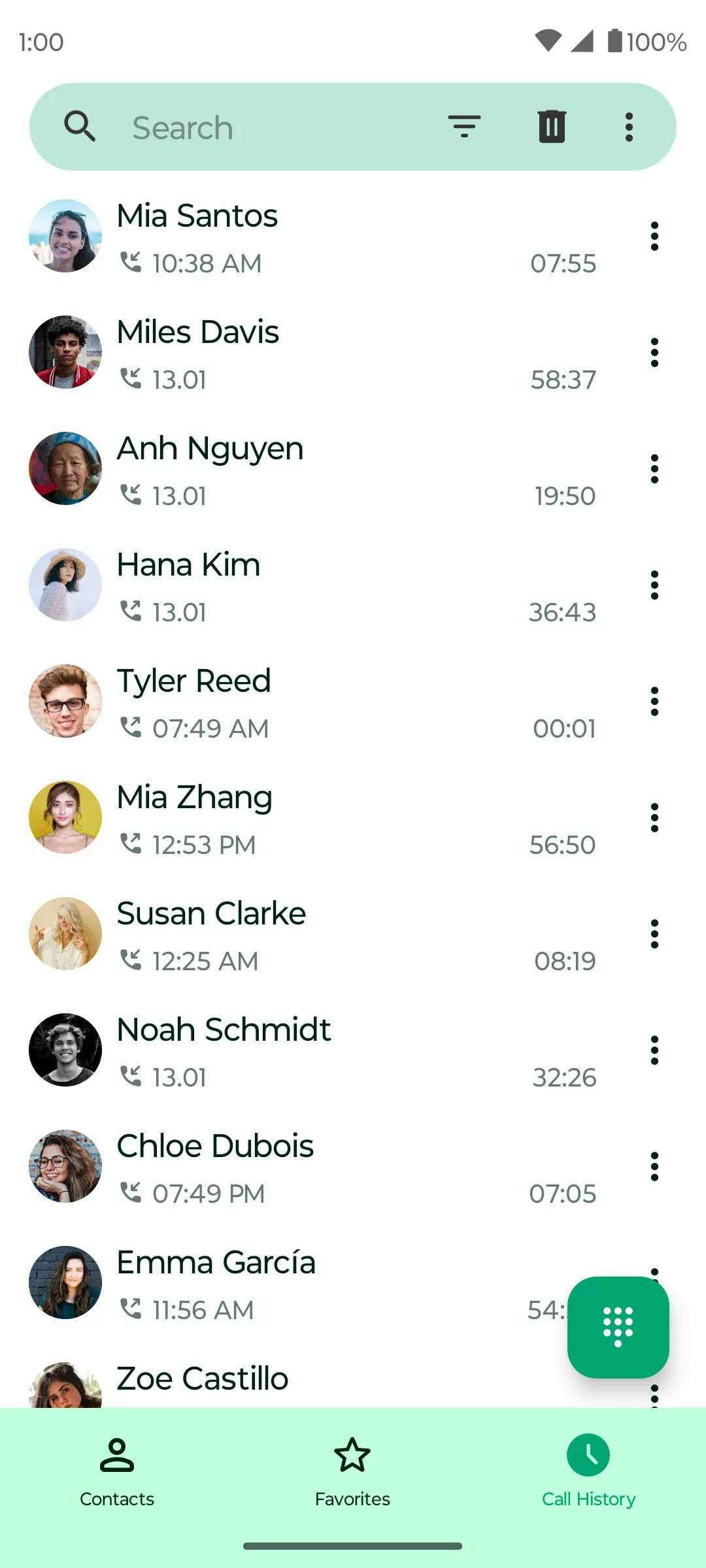
The unanswered call is captured in PeopleTide Phone.
02 Event sent
Call event received
Caller matchedNisha RaoSent to follow-up agent
The CRM receives the event and matches the caller to the available record.
03 Agent follows up
The agent starts the conversation and turns the reply into a clear next step.
04 · Proactive customer follow-up
Check in after a completed visit, respond to feedback, and move the right next action forward.
Completed visit
Priya ShahFollow-up due05 · Targeted customer outreach
Create relevant outreach for selected customer groups based on their service history and current needs.
Audience
Based on current service records
06 · Automation with human handoff
Automate repeatable steps while keeping ownership, escalation, and final decisions with your team.
Explanatory flow — not a product screenshot
07 · Appointments, orders, and outcomes
Connect conversations to the appointment, order, task, or service outcome that completes the work.
Configuration and availability
CRM capabilities are available with workspace setup. Channels and connected workflows depend on configuration and provider support. Connect WhatsApp where the channel has been enabled and configured for the workspace. Shared staff sign-in and enabled app access, with product-specific roles and permissions.
View current connections and future plansFrom efficient work to a measurable result
Find delays first. Then check the customer experience and the business result using evidence from the responsible system.
Overdue tasks, time waiting, handoff delays, completion time
Understand where work needs attention. Current task views show owners, due dates and status; complete account-wide timing reports are proposed.
Response time, resolution time, recorded feedback
Check what the customer experienced. A completed task alone does not establish satisfaction; consolidated reporting needs verified timing and feedback records.
Confirmed bookings, completed purchases, repeat customers
Check the result in the responsible system. A confirmed booking does not establish additional revenue; purchase and repeat-customer reporting need further connections.
These are measurement goals, not promised improvements or a live account-wide dashboard. Availability depends on the app, configuration and source evidence.
Start with your workflow
CRM capabilities are available with workspace setup. Channels and connected workflows depend on configuration and provider support.
Request a CRM demo